Some brands are using a tool for GEO / AEO (organic AI Search), and even fewer are starting to test paid LLM ads (mainly ChatGPT ads today). Almost zero are managing organic & paid AI Search in one integrated platform. This is a missed opportunity.
With Parsnipp you can buy and manage ChatGPT ads alongside organic GEO / SEO. We use the data from each to inform better AI Search marketing.
In the world of paid AI Search, this means we are able to use AI Visibility data to launch higher performing ChatGPT ads. We close the loop between organic efforts on the surface and integrate paid strategies alongside GEO – so the data from each can help inform a smarter, cohesive AI Search Marketing program.
BEFORE YOU START
You’ll need an approved OpenAI Ads Manager account with billing already set up — a payment method OpenAI can charge directly. Parsnipp manages and reports on your campaigns, but OpenAI bills your card, not Parsnipp. If you haven’t set that up yet, start here.
STEP 01
Get access to Parsnipp Smart LLM Ads
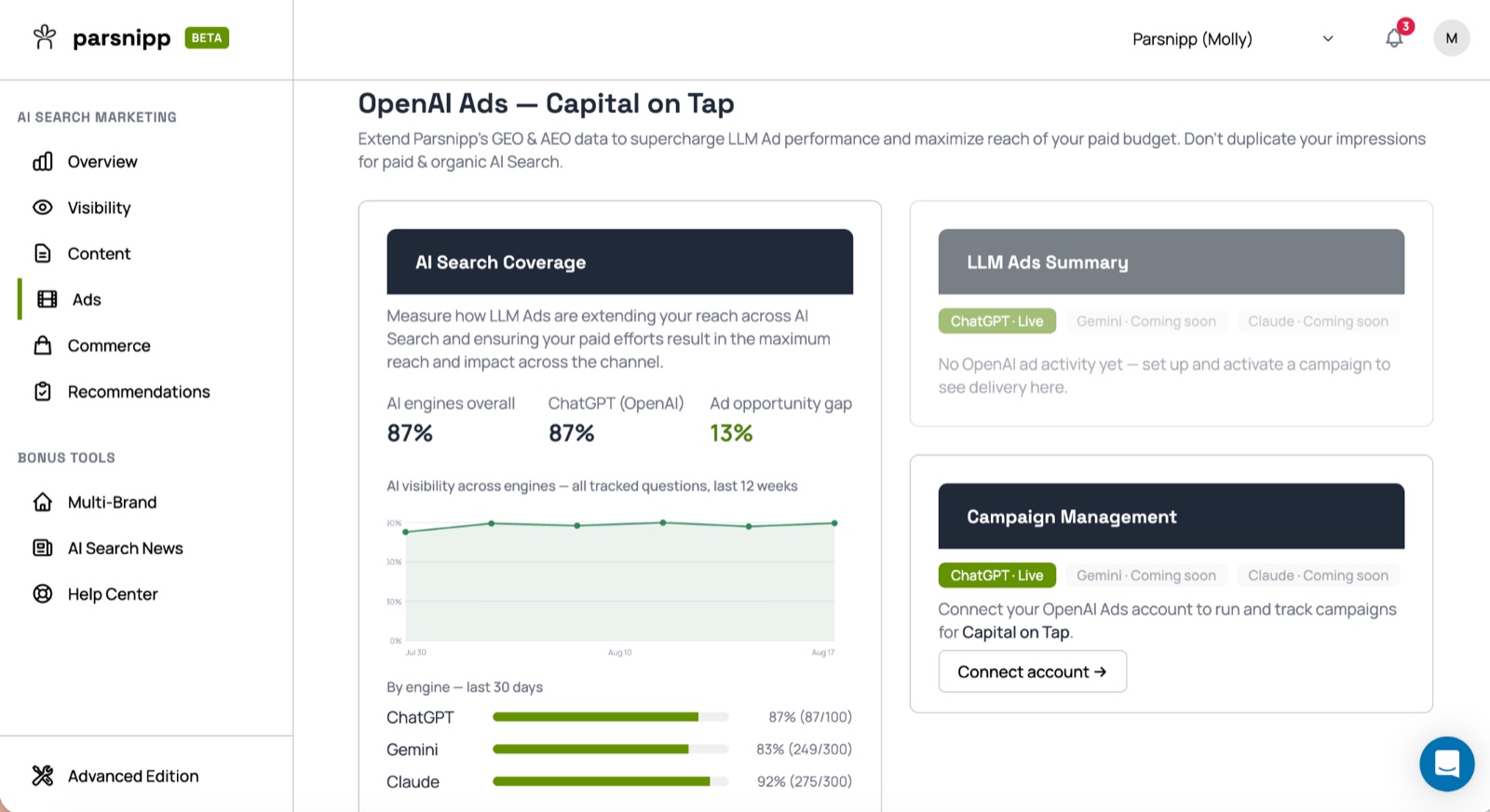
Log in to Parsnipp and click Ads in the left-hand nav. You’ll land on OpenAI Ads, which shows your AI Search Coverage — your visibility across engines, your ChatGPT-specific score, and your ad opportunity gap: the percentage of relevant conversations where you’re not showing up organically, and where a paid placement will do the most work.
STEP 02
Connect your OpenAI Ads account
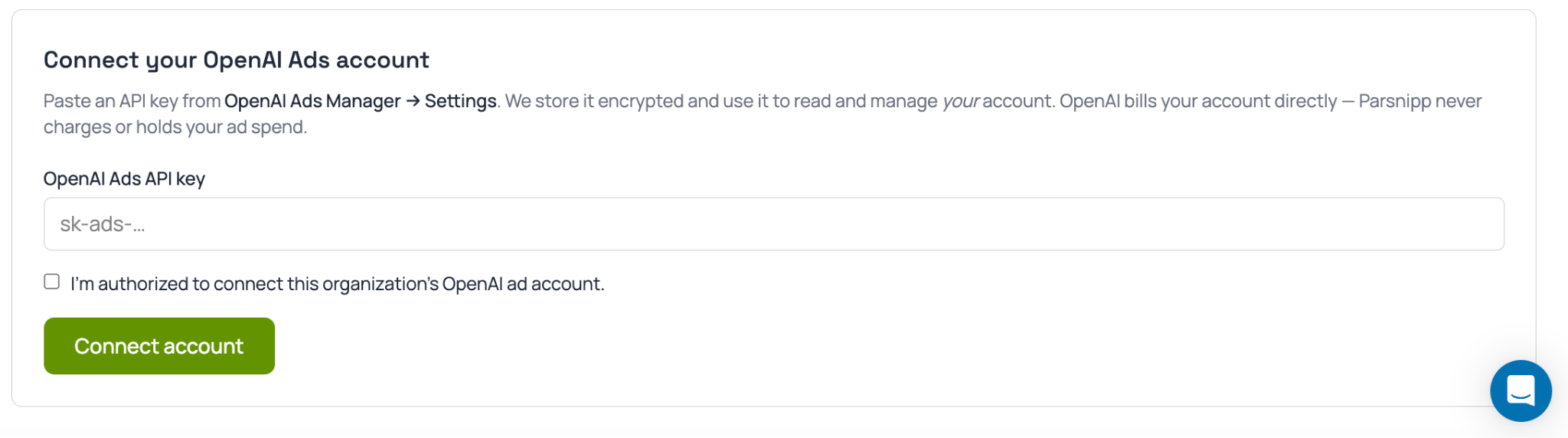
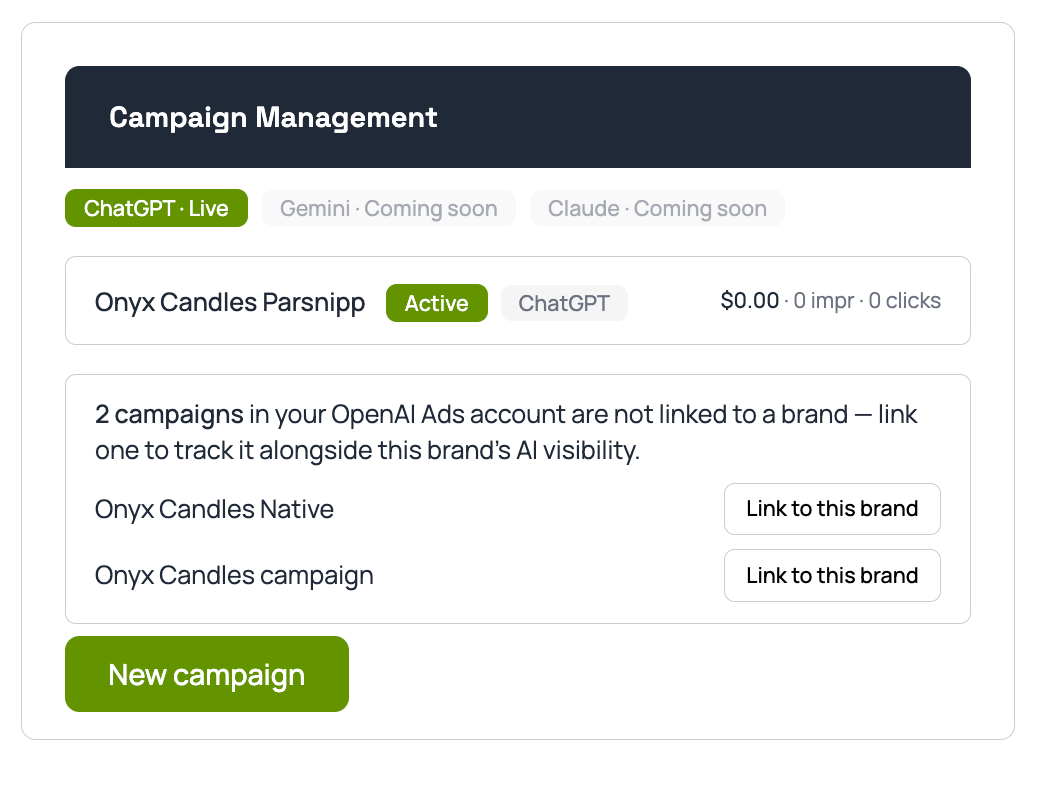
Click Connect account under Campaign Management. You’ll need your OpenAI Ads API key, which you generate inside OpenAI Ads Manager at ads.openai.com → Settings → General → Create new API key → Copy API key. Paste it into Parsnipp, confirm you’re authorized to connect the organization’s account, and click Connect account.
Parsnipp stores the key encrypted and uses it to read and manage your OpenAI account on your behalf. It never touches or holds your ad spend — that stays entirely between you and OpenAI.
STEP 03
Build your campaign
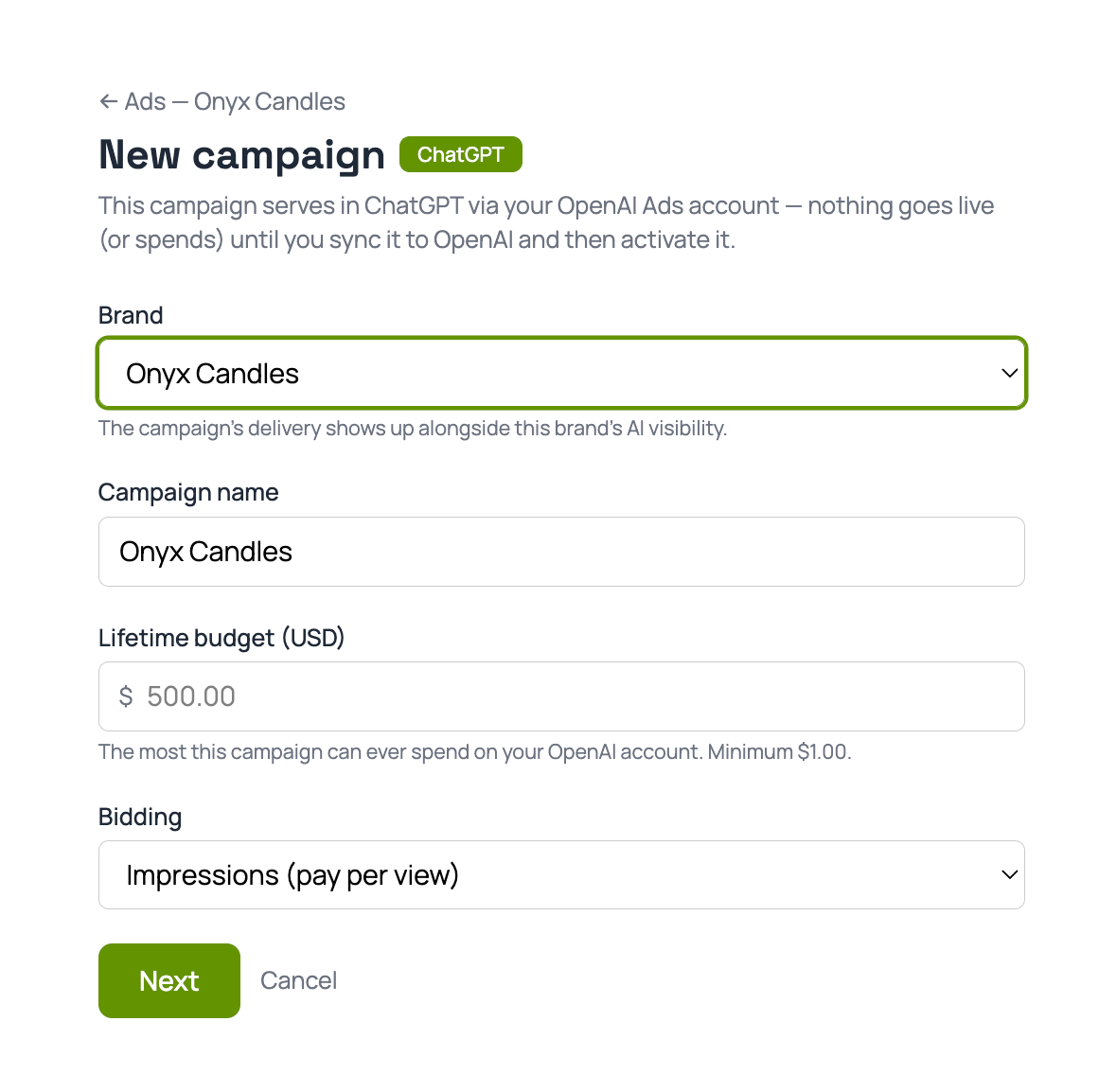
From here, campaign setup follows the same structure as OpenAI’s native Ads Manager: name your campaign, choose an objective (Clicks/CPC for direct response, Reach/CPM for visibility), set your budget*, dates, and target country. The difference is that Parsnipp has already surfaced your gap data, so you’re building against a known opportunity instead of a blank page.
*Important to remember: Lifetime budget can be spent within any time frame, and ChatGPT does not have built-in pacing.
STEP 04
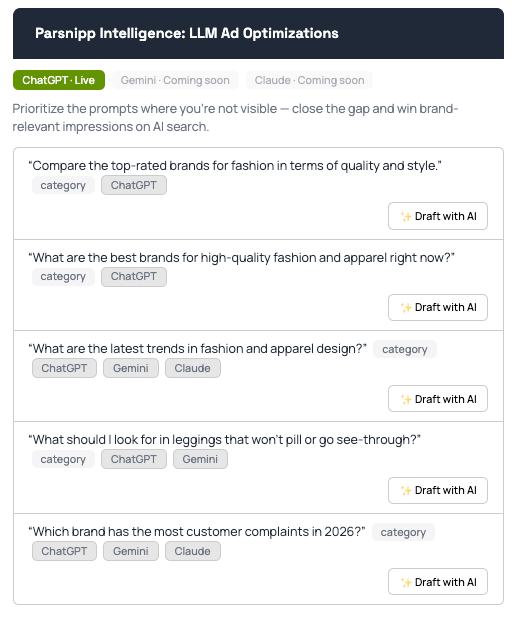
Build ads based on AI visibility gaps
Same principle as setting this up natively: one ad group per buyer situation, written as plain-language context hints rather than keywords. The upgrade here is that Parsnipp can build the ads themselves where you have the biggest visibility gap, so your ads are aimed at conversations you’re not already winning organically — not ones you’re already showing up for free.
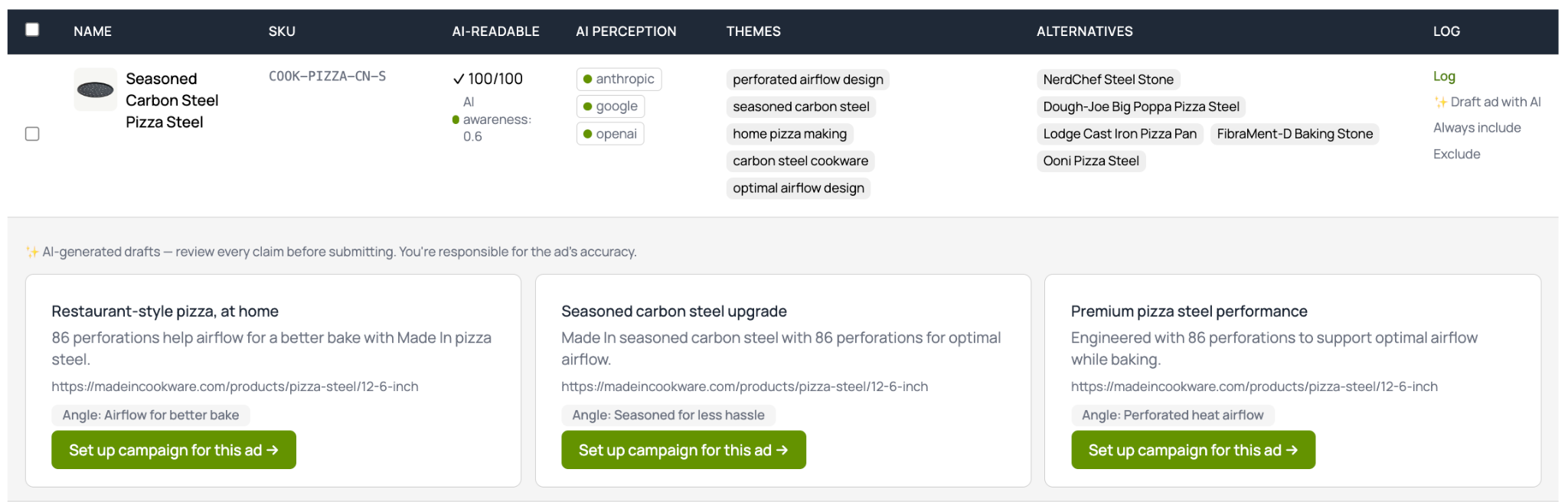
PRO TIP: You can also promote individual products in ads on ChatGPT through Parsnipp if you have your agentic commerce setup in the platform.
STEP 05
Launch, monitor, and optimize alongside GEO
Once your ad is live, performance reporting lives in the same Ads tab as your organic visibility data — no toggling between OpenAI’s dashboard and your GEO reporting to understand the full picture of how you’re showing up in ChatGPT.
Why this is outperforming the native Ads Manager
We’re still early, but the signal so far is strong. Our working theory is simple — context hints written against real, current organic visibility data beat context hints written from a marketer’s best guess. When you can see exactly where your brand isn’t showing up, you stop paying to reinforce conversations you were already winning and start paying for the ones you weren’t.
THE PLAYBOOK IN ONE LINE
Connect once, and every campaign after that is built on top of the gaps you can already see.
FAQ
Does Parsnipp charge my card for ChatGPT ad spend? No. OpenAI bills your connected payment method directly through Ads Manager. Parsnipp never touches or holds your ad spend.
Do I need an OpenAI Ads Manager account before I connect? Yes — an approved account with billing set up. Parsnipp manages campaigns on top of that account; it doesn’t create one for you.
Where do I get my OpenAI Ads API key? Inside OpenAI Ads Manager at ads.openai.com, under Settings.
Can I manage Gemini or Claude ads in Parsnipp the same way? Not yet — ChatGPT is live today, with Gemini and Claude ad management coming soon.
Do I still need to understand OpenAI’s targeting limitations? Yes. Parsnipp gives you better inputs to work with, but the same principles apply — precision over reach, and paid as a layer on top of organic, not a replacement for it. Check out these three things to get straight before you get started.
This is exactly what we’re built for — bringing paid and organic AI Search into one system, so you’re never launching a campaign blind. Connect your OpenAI Ads account in Parsnipp to see your ad opportunity gap today.