
KPI Tracking

KPI Tracking is the section of your Parsnipp Overview built for weekly check-ins. Three cards show your performance metrics, the issues hurting your visibility, and your progress on recommendations, without digging through individual reports.
- Type
- Platform Tutorial
- Last updated
- Read time
- 2 min
Once you have your GEO Score, the next question is: what’s actually driving it, and is it moving in the right direction? The KPI Tracking section of your Parsnipp Overview is where you keep a finger on the pulse of your AI search performance on an ongoing basis.
This section brings together the metrics that matter most for managing your GEO strategy week to week. Rather than having to dig through individual reports each time, KPI Tracking gives you a consolidated view of your performance, your outstanding actions, and the progress you’re making as you work through Parsnipp’s recommendations.
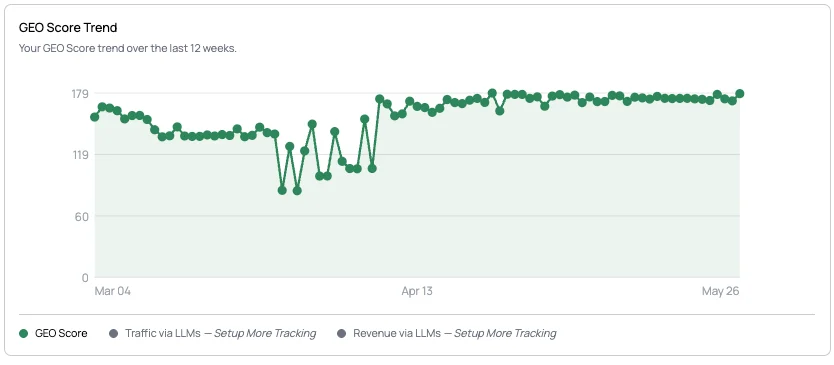
The three cards
The KPI Tracking section is made up of three cards, each of which has its own article in the Help Center:
- Key Success Metrics: your core GEO performance numbers in one place, including your GEO Score, website traffic arriving via LLMs, and the leads and revenue generated from that traffic segment.
- Issues Identified: a running count of the specific problems Parsnipp has flagged that are holding back your AI visibility and overall GEO Score.
- Recommendations: the prioritized actions Parsnipp is recommending to help you improve your GEO performance over time.
Together these three cards turn your GEO data into a clear picture of where you are, what’s getting in the way, and what to do next.